
SECOM
ID mapping and command-level security. Run any resource — including TACL macros and routines — under a predefined ID, control functional users, enforce a single logon, and manage everything from a GUI-based database.
Overview
SECOM is a command management and session control tool. It enforces a sharp differentiation between functional users (generic user IDs, e.g. SUPER.SUPER) and individual users (real people, e.g. GHS.CARL, Alias Weber_Carl), and provides a method for separation and segregation of duties.
The problem
Normally, individual users must logon to a function to perform tasks on behalf of the function. For example:
- System wide backup, where the operator needs READ access to all files, but just for backup tasks
- Application management (e.g. PATHCOM access to $APPL)
- Database management (e.g. SQLCI, FUP)
- System management (e.g. start-up at cold load time, executing OBEY files or TACL macros)
Logging on to a function has several drawbacks:
- The password has to be known, and it can be used any time to get access to the function.
- Because a password allows a logon from scratch, real auditing cannot be enforced.
- The password can be given to ‘anybody’ — without any trace — and misused.
- Logging on to a function means having access to all the resources the function has access to.
The only Tandem based solution available today to address these types of problems is to use PROGIDed programs, where programs have a SAFEGUARD ACL to protect them against misuse. But the management of PROGIDed software is itself problematic, especially when a GUARDIAN release change has to be performed.
An additional point for concern is that accessing a program (FUP, SQLCI) means having access to all of the program’s functions. For example: to ‘UP’ a disk volume, the program PUP must be started with a SUPER-group ID. But running PUP with a SUPER-group ID also allows the user to ‘DOWN’ a disk.
The SECOM solution
SECOM provides a solution. You can quickly and effectively administer command management and session control across a network from a single system.
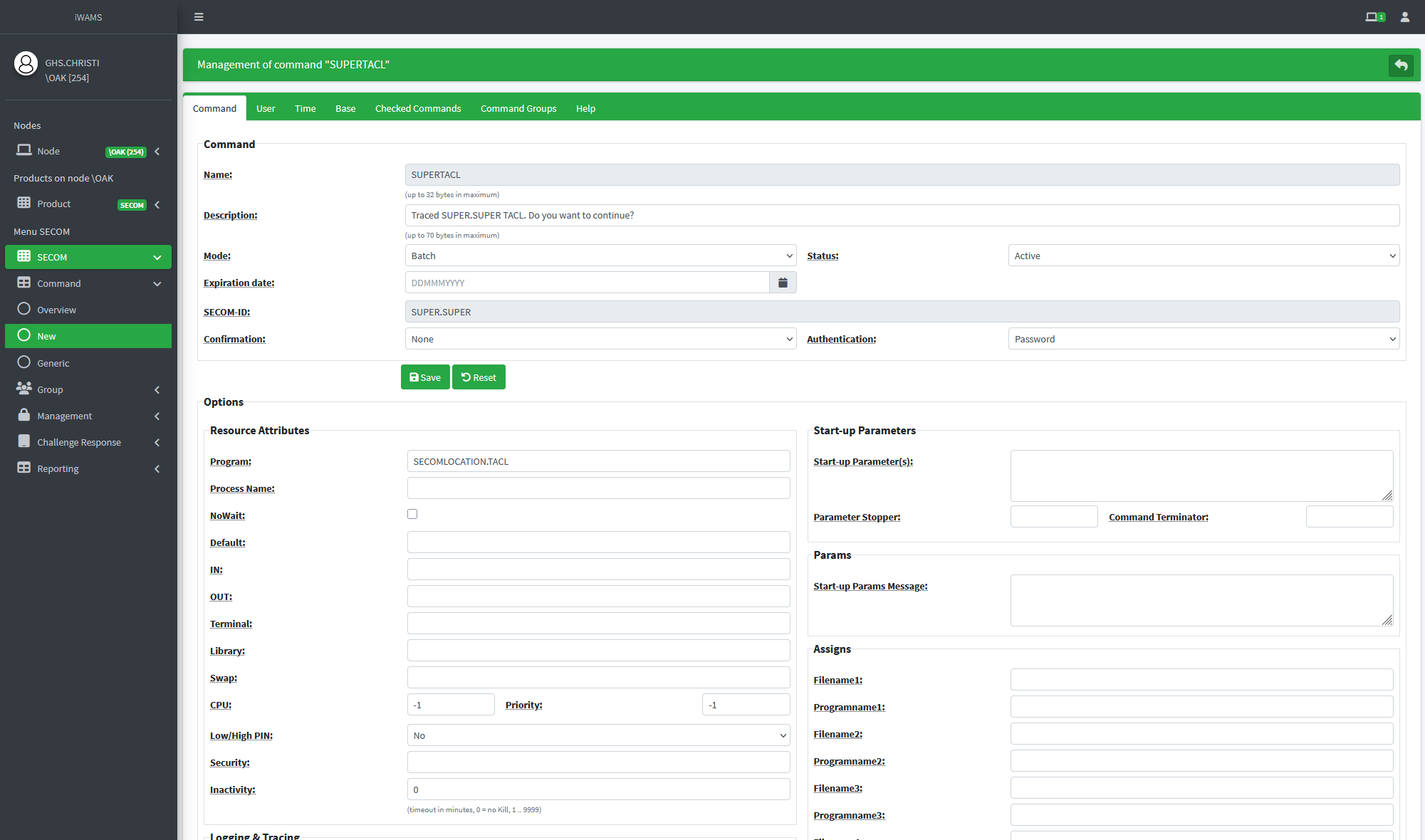
Management
Manage SECOM with the browser based management system iWAMS, the integrated Web Administration Management Suite. iWAMS allows the central management of GreenHouse products within an EXPAND network, where the manager can switch between nodes without the need to re-logon, and a context sensitive switch between products.
Video
Traced SECOM command SUPERTACL and evaluation of input/output session data with iWAMS.